A practical guide for Shopify app teams: who to partner with, how to set rewards and rules, and how to prove which partner sent each install, using Shopify's own install events.
 SK
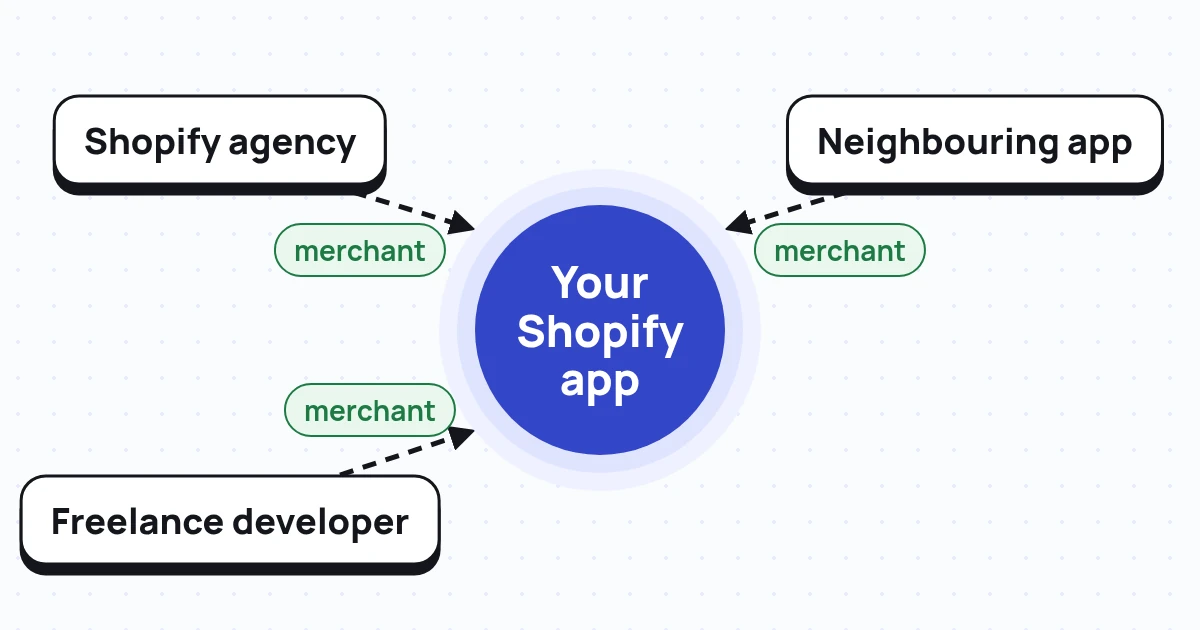
A Shopify app partnership is a deal where an agency, freelance developer or other app recommends your Shopify app to merchants they already work with. You reward that partner when those merchants pay. Pick partners who serve your merchants, write the rules first, and track each partner's referral link through to a paid install.
Key takeaways
Orbit by Marmeto is free for Shopify app teams. Connect BigQuery, and Orbit credits installs that come through a partner's referral link to that partner. Try Orbit with your first partner →
A Shopify app partnership is an agreement between a Shopify app company and someone who can put the app in front of merchants. That someone is usually an agency, a freelance developer or another app. The partner recommends or installs your app. You reward them when the merchant becomes a paying customer.
Here's the thing. The customer here is a merchant, not a shopper. You're not paying for product sales on a store. You're paying for a store that installs and pays for your app.
No. Shopify's Partner Program rewards partners for helping merchants on Shopify itself. From 1 January 2027, Shopify sorts service and agency partners into Silver, Gold, Platinum and Diamond tiers, based on the sales and shop count credited to them. Shopify's own page says technology partners, meaning app and theme makers, "participate through the Shopify App Store" (Shopify Help Center).
So if you want an agency to recommend your app, you need your own deal. Shopify won't pay them for it.
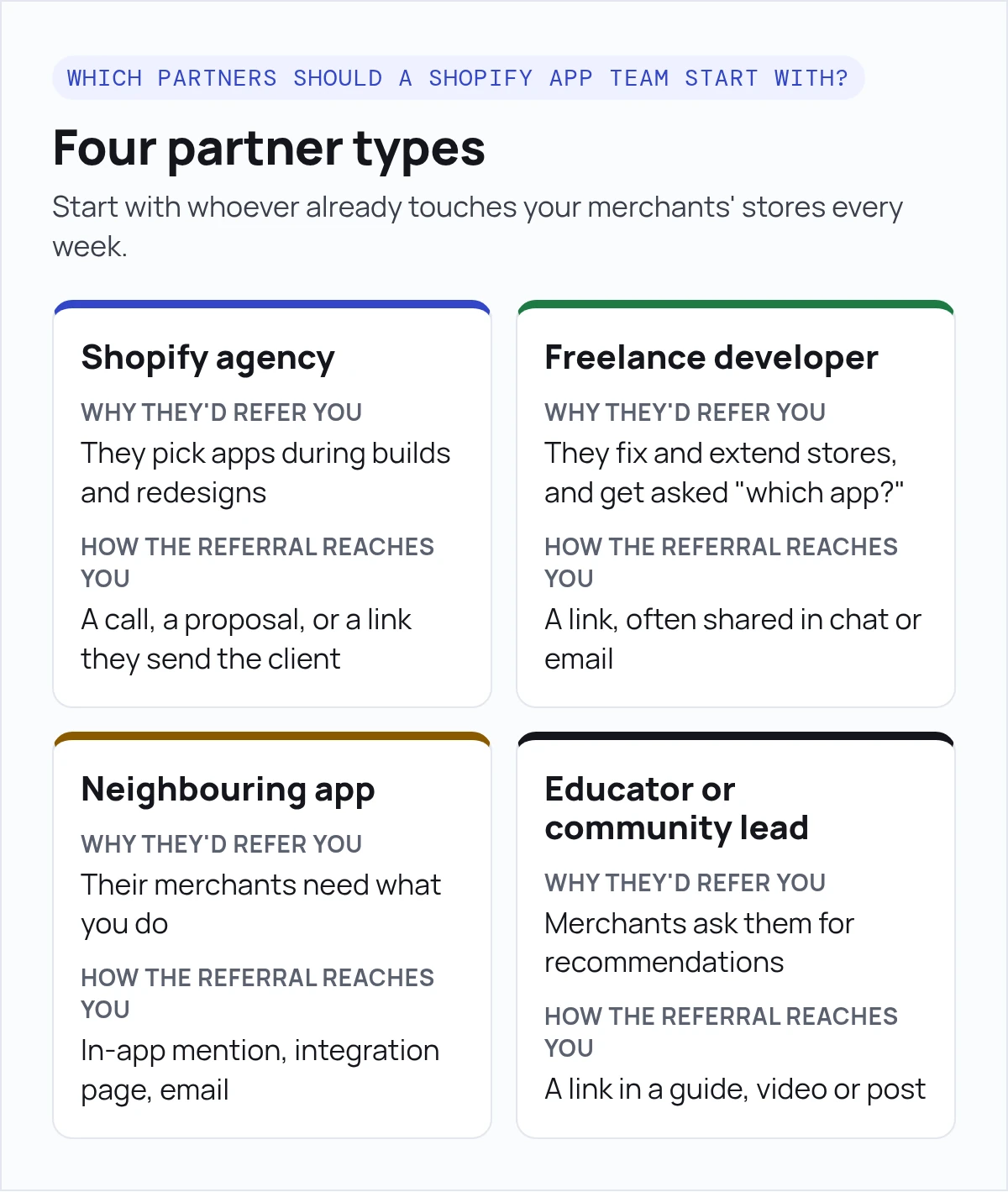
Start with whoever already touches your merchants' stores every week. For most apps, that's agencies. Add freelancers and neighbouring apps once you can track the first referrals cleanly.
| Partner type | Why they'd refer you | How the referral reaches you | A deal that often fits (our advice) |
|---|---|---|---|
| Shopify agency | They pick apps during builds and redesigns | A call, a proposal, or a link they send the client | Recurring share of what the merchant pays |
| Freelance developer | They fix and extend stores, and get asked "which app?" | A link, often shared in chat or email | Recurring share or a one-time reward |
| Neighbouring app (works with yours) | Their merchants need what you do | In-app mention, integration page, email | Swap referrals, often no cash |
| Educator or community lead | Merchants ask them for recommendations | A link in a guide, video or post | One-time reward per paid merchant |
The last column is our editorial advice, not a rule. Set your own numbers from your margins and how long merchants stay.
How do you find good agencies? Look at your best merchants and ask who built their store. Then check Shopify's Partner Directory, which lets you filter agencies by service and tier. For a full agency playbook, see our guide to building an agency partner program for Shopify apps.
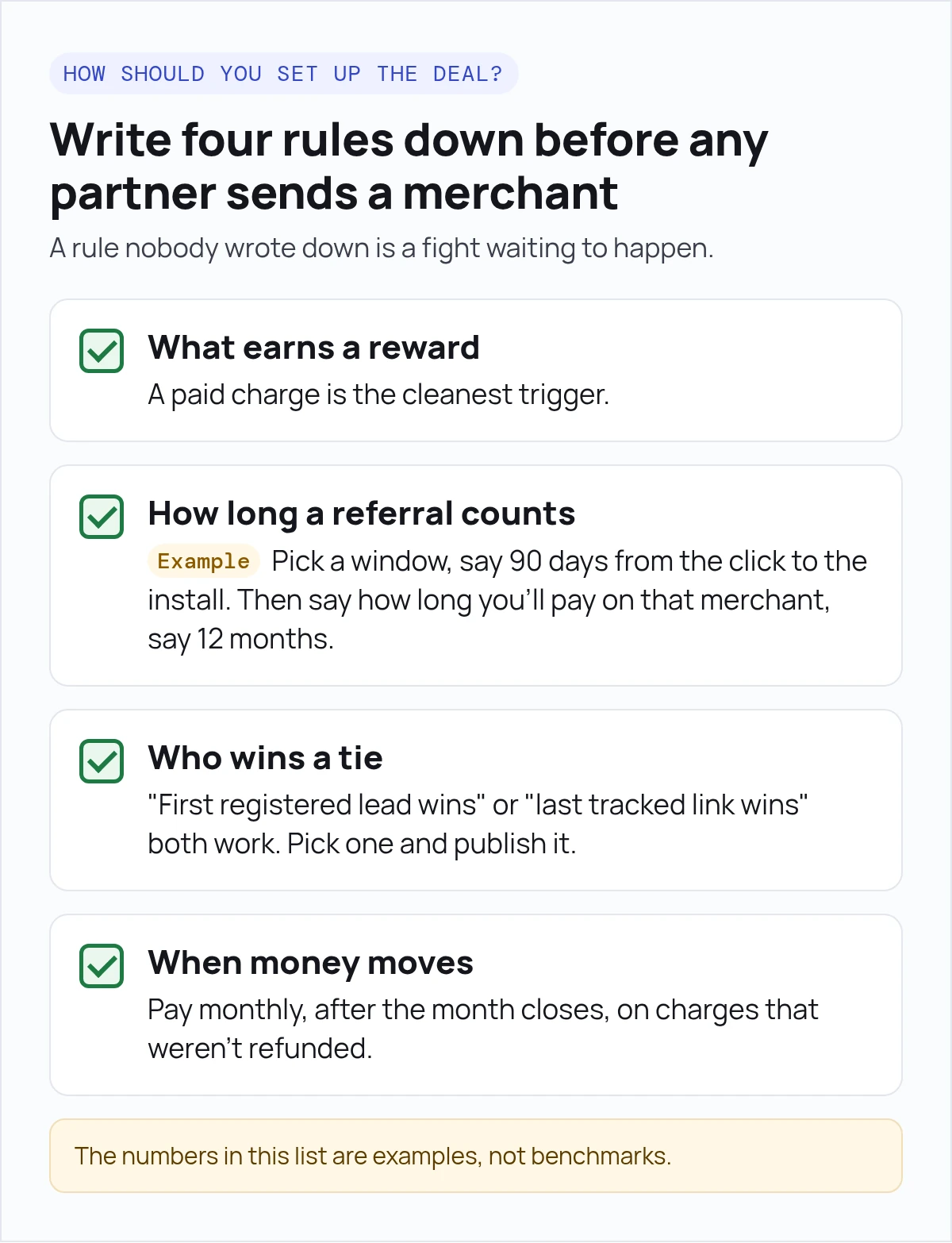
Write four rules down before any partner sends a merchant. A rule nobody wrote down is a fight waiting to happen.
The numbers in this list are examples, not benchmarks. The point is that partners see the rules before they start.
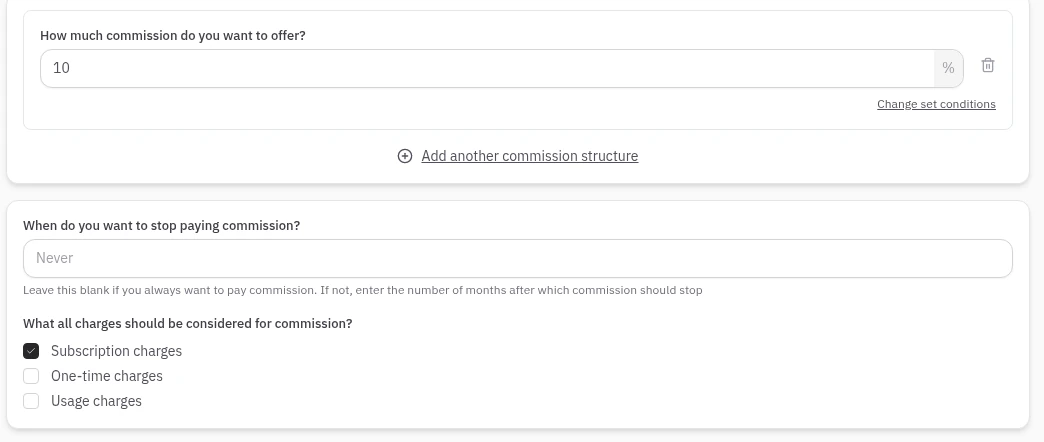
If you run the deal in Orbit by Marmeto, Orbit's program settings cover several of the four deal rules above. You set commission as a percentage of subscription, one-time or usage charges. You can add conditions on app plan and on referral age in days, plus a "Stop after N months" limit.
You can also run separate programs, say one for agencies and one for freelancers. Payables are grouped by payout period. You pay through PayPal or RazorpayX, or mark a payout as paid by hand.
Check refunds, failed charges and cancellations against your paid charges, and apply your rules to them before you pay.
Set up your first Orbit program, free →
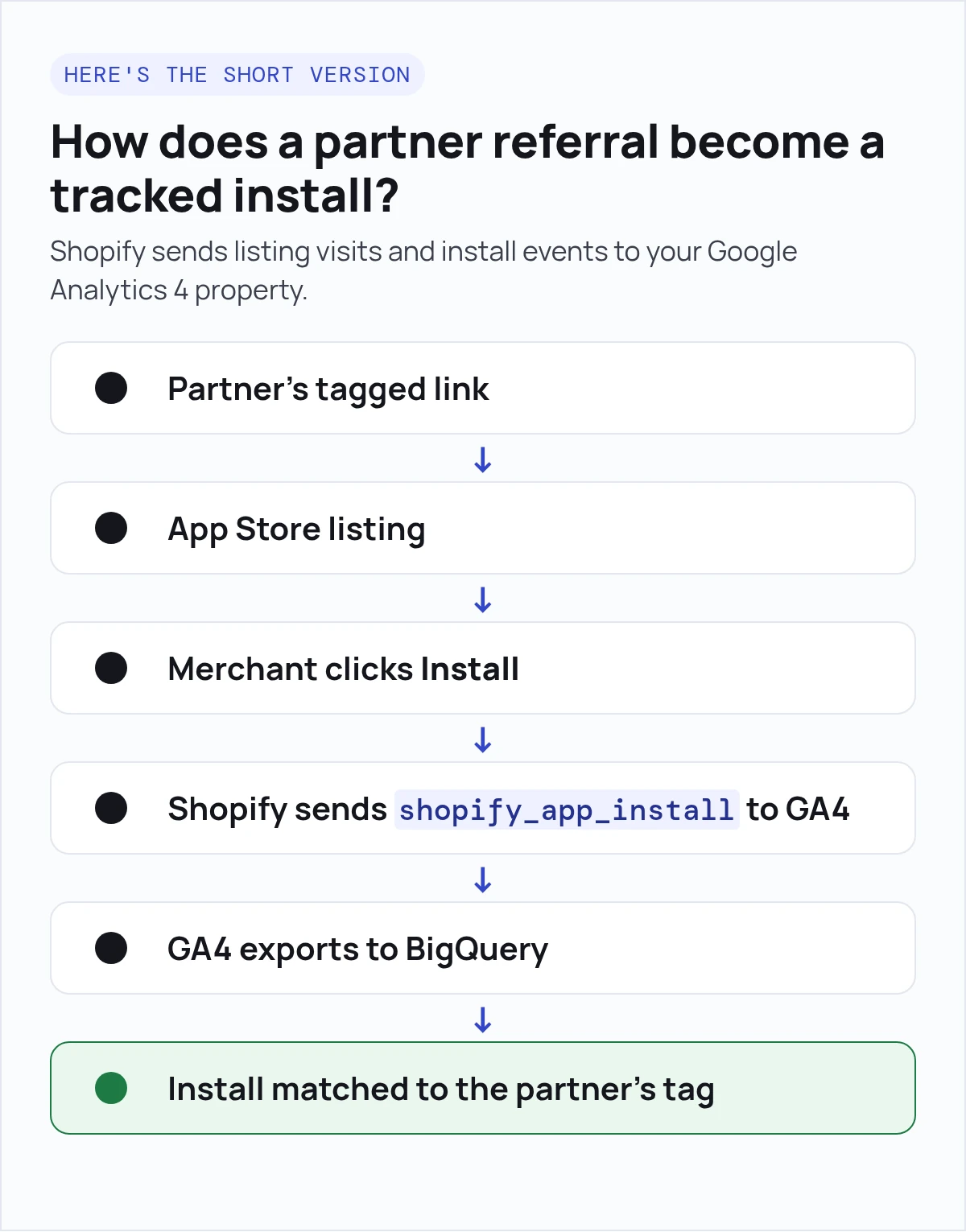
Here's the short version. Give each partner a link to your Shopify App Store listing with their own tag. Shopify sends listing visits and install events to your Google Analytics 4 property. Export that data to BigQuery, and match each install back to the partner's tag.
https://apps.shopify.com/your-app?utm_source=partner&utm_medium=referral&utm_content=partner-a. One tag per partner. Never reuse a tag. Shopify's docs don't promise that your own tags reach GA4, so check one in your property before you rely on it.shopify_app_install event, look back for a visit from the same browser (user_pseudo_id) that carried a partner tag. This is a best-effort match, not a guarantee. See the caveat under the query.If you'd rather not write and maintain that matching query, Orbit by Marmeto can run the match for you. Connect your Google BigQuery account, and Orbit automatically credits installs that come through a partner's Orbit referral link to that partner. Anything it can't match, such as a merchant who never clicked the link, you can assign to the right partner by hand.
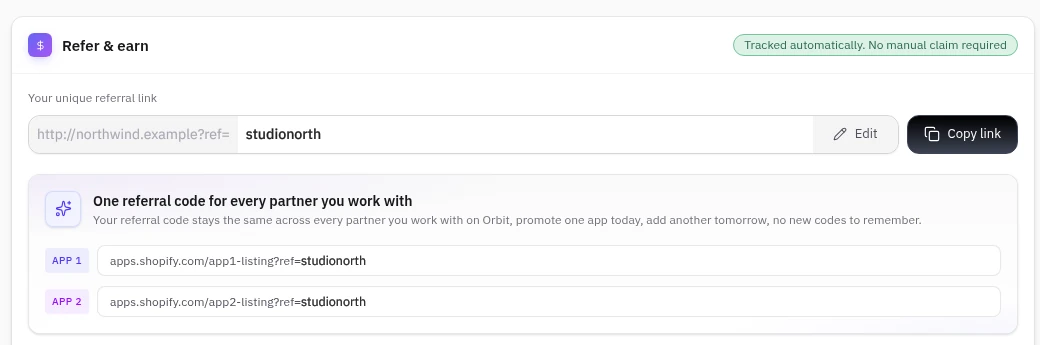
Start tracking partner installs in Orbit →
These are the events and fields Shopify documents for app listings (Track your listing traffic):
| Event or field | What it tells you | When it's sent |
|---|---|---|
shopify_app_install |
A merchant finished installing. Parameters: api_key, shop_id, shop_name, shop_url |
Server-side, through GA4's Measurement Protocol |
shopify_app_ad_click |
A visit came from a Shopify App Store ad. Parameters: api_key, surface_type, surface_detail |
When the listing is opened from an ad |
view_item |
The merchant viewed your listing page | From the App Store listing page |
add_to_cart |
The merchant clicked Install | From the App Store listing page |
surface_type (URL parameter) |
Where in the App Store they came from: search, search_ad, category, partners, app_details and more |
On visits from inside the App Store |
Shopify notes that event parameters "might take up to 24 hours to propagate," and you need to add them as event-scoped custom dimensions to see them in reports (Track your listing traffic). Shopify only labels two other listing events, Add App button and Open app button, as client-side.
This is an example to adapt, not a finished job. It finds installs in October, looks back 90 days for a visit from the same browser that carried a partner tag, applies a last-click tie rule, and keeps unmatched installs so you can see your match rate. Check field names against your own GA4 export first.
-- Example only. GA4 BigQuery export (daily events_YYYYMMDD tables).
-- Check every field name against your own export before you use it.
-- This join ONLY works if Shopify sends shopify_app_install with the same
-- client ID as the merchant's earlier visit to your listing. Shopify doesn't
-- document that. Test it with a tagged link and a test install first.
-- Installs: October 2026. Tagged visits: from 90 days before the first
-- install date. Table dates follow your GA4 property's time zone.
WITH tagged_visits AS (
  SELECT
    user_pseudo_id,
    event_timestamp AS visit_ts,
    LOWER(COALESCE(
      collected_traffic_source.manual_content,
      REGEXP_EXTRACT(
        (SELECT value.string_value FROM UNNEST(event_params)
          WHERE key = 'page_location'),
        r'[?&]utm_content=([^&#]+)')
    )) AS partner_tag
  FROM `your_project.analytics_123456.events_*`
  WHERE _TABLE_SUFFIX BETWEEN '20260702' AND '20261031'  -- daily tables only
    AND user_pseudo_id IS NOT NULL  -- no ID, no join (e.g. consent denied)
),
partner_visits AS (
  SELECT * FROM tagged_visits
  WHERE partner_tag IS NOT NULL
),
installs AS (
  SELECT DISTINCT
    user_pseudo_id,
    event_timestamp AS install_ts,
    (SELECT COALESCE(value.string_value, CAST(value.int_value AS STRING))
       FROM UNNEST(event_params) WHERE key = 'shop_id') AS shop_id,
    (SELECT value.string_value FROM UNNEST(event_params)
       WHERE key = 'shop_url') AS shop_url
  FROM `your_project.analytics_123456.events_*`
  WHERE _TABLE_SUFFIX BETWEEN '20261001' AND '20261031'
    AND event_name = 'shopify_app_install'
),
candidates AS (
  SELECT
    i.shop_id,
    i.shop_url,
    i.install_ts,
    i.user_pseudo_id,
    v.partner_tag,
    v.visit_ts,
    -- Tie rule: last tagged visit before the install wins.
    -- Use ORDER BY v.visit_ts ASC for first-touch instead.
    ROW_NUMBER() OVER (
      PARTITION BY i.shop_id, i.install_ts
      ORDER BY v.visit_ts DESC) AS touch_rank
  FROM installs AS i
  LEFT JOIN partner_visits AS v
    ON v.user_pseudo_id = i.user_pseudo_id
   AND v.visit_ts <= i.install_ts
   AND v.visit_ts >= i.install_ts - 90 * 24 * 60 * 60 * 1000000  -- 90 days, microseconds
)
SELECT
  shop_id,
  shop_url,
  TIMESTAMP_MICROS(install_ts) AS install_time_utc,
  partner_tag,  -- NULL = unattributed; review these by hand
  CASE
    WHEN user_pseudo_id IS NULL THEN 'install has no user_pseudo_id'
    WHEN partner_tag IS NULL THEN 'no tagged visit in window'
    ELSE 'matched'
  END AS match_status
FROM candidates
WHERE touch_rank = 1
ORDER BY install_ts;
How far you can trust this join: Shopify sends shopify_app_install from its servers after the merchant approves the install in Shopify admin. Shopify's docs don't say whether that event carries the same GA4 client ID as the merchant's earlier visit to your listing, and the join only works when it does.
It will miss installs when the merchant:
Shopify's staff have said on the developer forum that installs from merchants who opt out of cookies arrive unattributed.
Before you pay on this, run one partner link through a test install. Then track the share of installs the query leaves unmatched every month, and settle those by hand or through registered leads (see below).
Don't pay on the query until it passes these checks. Run the first four once at setup, and again whenever you change the query or your listing tracking.
matched with the right partner_tag. If it shows install has no user_pseudo_id or no tagged visit in window, the join didn't work for that install. (no tagged visit in window is also the normal result for organic installs.) If a second test fails too, settle installs through registered leads instead.collected_traffic_source.manual_content or page_location. If neither carries the partner's utm_content, the tag didn't reach GA4.shop_id with the number at the end of the Partner API's shop.id (for example gid://shopify/Shop/5678), and with myshopifyDomain against shop_url. Only build the charge join if they line up.Run these before each payout.
event_timestamp is in UTC (Google's guide to the GA4 BigQuery export). Look at installs from the first and last day of the month. Make sure each one lands in the right month.RELATIONSHIP_INSTALLED events from the Partner API (Partner API events reference). Set the date range yourself (occurredAtMin and occurredAtMax, in UTC), because the Partner API defaults to the last 30 days. Expect Shopify's count to be higher: it includes installs that never came through your listing, such as direct install links. Explain any gap before you pay.For other ways to attribute installs by source, see our guide on how to track Shopify app installs by source.
An install tells you a partner sent someone. It doesn't tell you they paid. For that, you need Shopify's billing side.
events query returns RELATIONSHIP_INSTALLED and RELATIONSHIP_UNINSTALLED. It covers the last 30 days by default, and up to 365 days per query (Historical events).app/uninstalled webhook (WebhookSubscriptionTopic).The GA4 install event gives you shop_id and shop_url. The Partner API identifies shops by shop.id (for example gid://shopify/Shop/5678) and myshopifyDomain. Shopify doesn't document whether GA4's shop_id is the same number, so compare them on one test install before you build the join. Then store one row per credited shop (partner tag, shop ID, myshopify domain, install time) and join paid charges and adjustments to that row by shop.

We cover the money side, from paid charges to partner statements, in how to track partner-sourced revenue for Shopify apps.
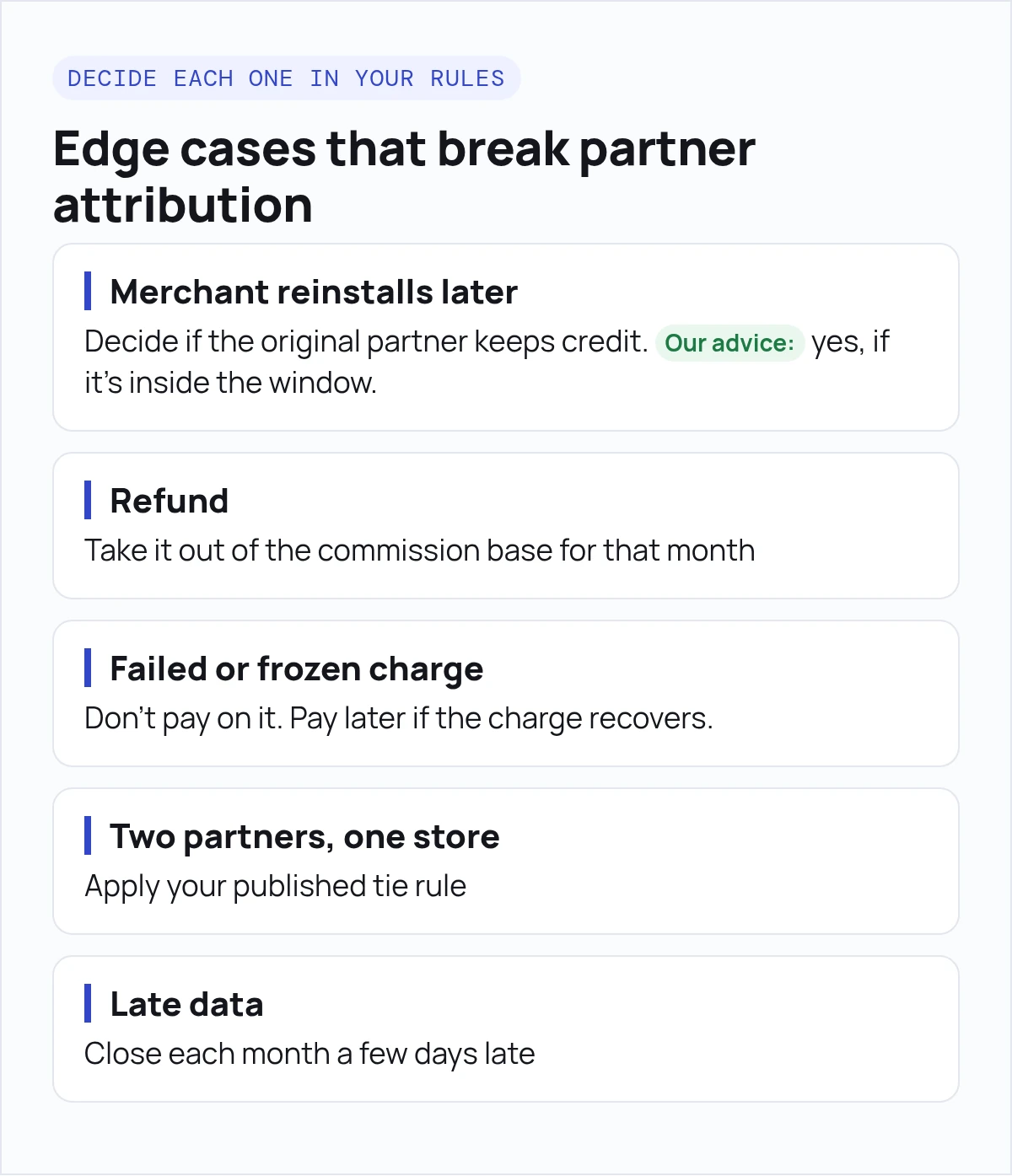
Each of these can turn into a "where's my commission?" email. Decide each one in your rules.
| Case | What happens in the data | What to do |
|---|---|---|
| Merchant reinstalls later | A new RELATIONSHIP_INSTALLED event for the same shop |
Decide if the original partner keeps credit. Our advice: yes, if it's inside the window. |
| Billing account comes back | RELATIONSHIP_REACTIVATED means the shop's billing account was reactivated, not a reinstall (RelationshipState) |
Don't count it as a new install |
| Refund | Shows as an adjustment in the Partner API's transactions | Take it out of the commission base for that month, then reconcile totals against your Shopify payouts before you pay |
| Failed or frozen charge | No paid charge that month | Don't pay on it. Pay later if the charge recovers. |
| Plan change | The charge amount changes | Pay on what the merchant actually paid each month |
| Two partners, one store | Two tags, or a tag plus a registered lead | Apply your published tie rule |
| Ad click before install | surface_type=search_ad or category_ad, or a shopify_app_ad_click event |
Decide whether the partner still gets credit. Write it down. |
| Case | What happens in the data | What to do |
|---|---|---|
| Late data | GA4 can update daily tables for up to 2 days after the date, and user attribution can lag about 24 hours (BigQuery Export) | Close each month a few days late |
| Streaming export only | Streaming export leaves out traffic source name, source and medium for new users. Intraday tables are best-effort and are deleted once the daily table lands (BigQuery Export) | Use the daily export for partner matching |
| Big listing traffic | Standard GA4 properties export up to 1 million events a day (BigQuery Export) | Watch the limit or filter the export |
| Merchant declined cookies or blocks trackers | No tagged visit, but the install is still sent (Shopify developer forum) | Shows as unmatched. Settle by registered lead or by hand. |
| Clicked on phone, installed on laptop | Two different user_pseudo_id values |
Unmatched. Settle the same way. |
| One merchant, several stores | One visitor, several shop_id values |
Decide whether one click credits every store. |
| Partner clicks its own link, then installs for a client | The partner's browser is matched to the client's shop | Decide whether it counts. Watch for self-crediting. |
| Duplicate install rows | Same shop and timestamp twice | Count unique shop and install-time pairs. |
| Time zones | GA4 daily tables use the property time zone; event_timestamp is UTC |
Close the month in one stated time zone. |
| Currency | Charges in mixed currencies | State the payout currency and the conversion date. |
| Install without a listing visit | Nothing to join | Unmatched. Settle by registered lead. |
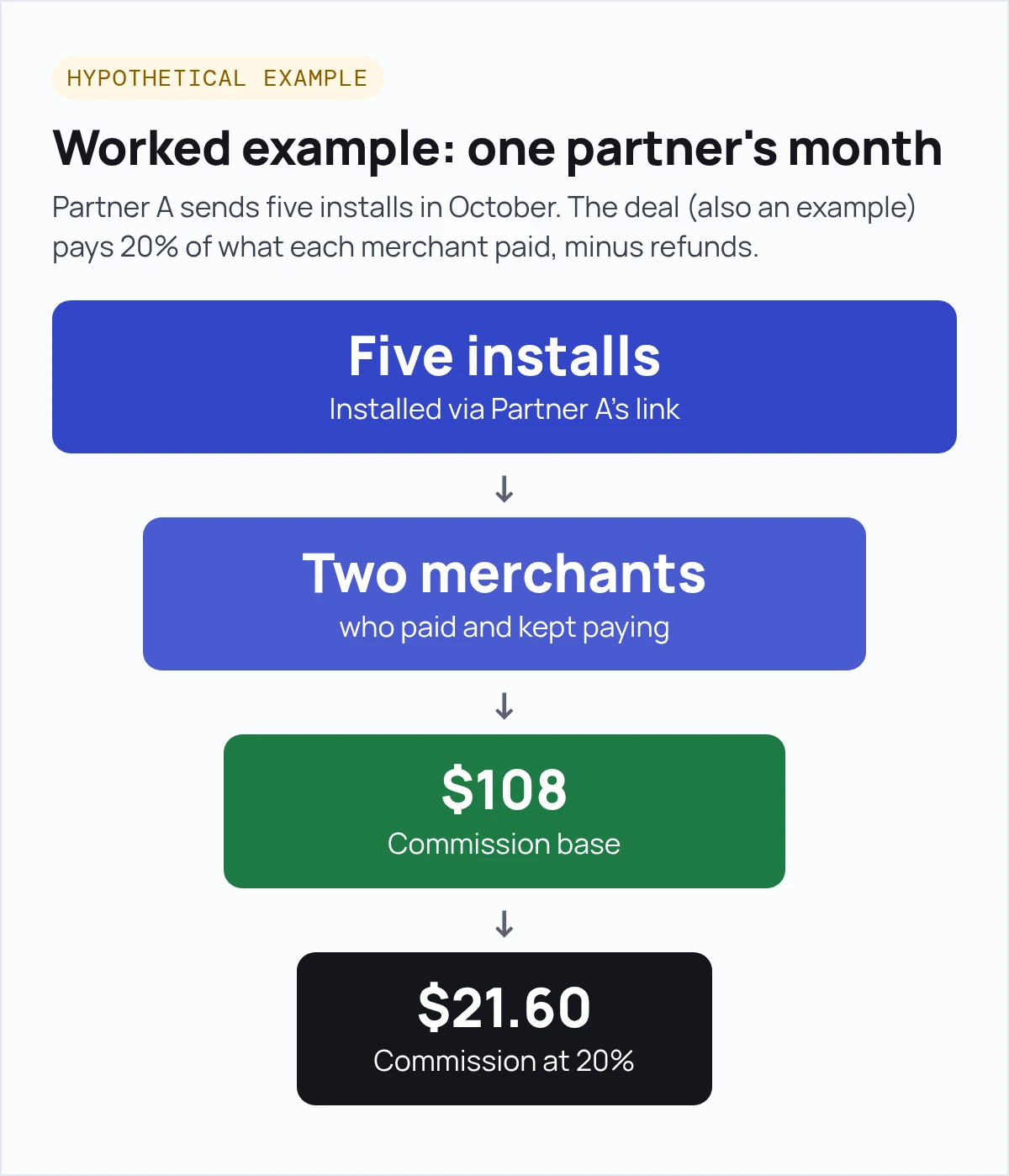
This is a hypothetical example. Partner A sends five installs in October. The deal (also an example) pays 20% of what each merchant paid, minus refunds.
| Merchant | Installed via Partner A's link | Plan charge paid in October | Refunded | Commission base | Commission at 20% |
|---|---|---|---|---|---|
| Store 1 | Yes | $29 | $0 | $29 | $5.80 |
| Store 2 | Yes | $79 | $0 | $79 | $15.80 |
| Store 3 | Yes | $79 | $79 | $0 | $0 |
| Store 4 | Yes | $0 (free plan) | $0 | $0 | $0 |
| Store 5 | Yes, then uninstalled | $0 | $0 | $0 | $0 |
| Total | 5 installs | $187 | $79 | $108 | $21.60 |
Five installs. Two merchants who paid and kept paying. A $21.60 commission. That's why you pay on money that stuck, not on installs.
One more thing to decide: pay on what the merchant paid, or on what you keep.
Shopify takes no revenue share on a developer's first $1,000,000 of lifetime app revenue, then 15% above it. Very large developers pay 15% on everything (Revenue share for Shopify App Store developers). All billing is also subject to a 2.9% processing fee, and only revenue from 1 January 2025 counts toward the $1,000,000.
Once you pass that line, "20% of what the merchant paid" costs you more than "20% of what you keep." Say which one in your rules.
The Two-Cap Commission Rule (our rule of thumb, not an industry standard) sets the most a Shopify app team can pay a partner for one paying merchant: the lower of the lifetime cap and the payback cap. Lifetime cap = (monthly margin × average months) − the profit you want to keep. Payback cap = monthly margin × payback months. Average months ≈ 1 ÷ monthly churn.
The worked example shows what a deal pays out. This part helps you pick the rate before you sign. You need a few numbers from your own data: what you keep per merchant each month, how long merchants stay, and how fast you want your money back.
Every number below is hypothetical. Swap in your own.
| Input | Hypothetical value | Where to find yours |
|---|---|---|
| Plan price | $79 a month | Your pricing page |
| Monthly margin (what you keep after Shopify's fees and your own costs per merchant) | $50 | Your payouts, minus hosting, support and other costs |
| Monthly churn (paying merchants who cancel each month) | 10% | Your Partner API uninstall and charge history |
| Payback target (months to earn back what you paid the partner) | 4 months | Your own cash plan |
| Profit you want to keep per merchant | $300 | Your own plan |
Now run three formulas:
The most you can pay for one paying merchant is the lower of the two caps. In this example, that's $200. Compare it with what it costs you to win a paying merchant through ads or other channels. If partners cost less, they're likely worth it.
Same hypothetical: $79 plan, $50 monthly margin, 10% monthly churn, 4-month payback. These are editorial starting points, not industry benchmarks.
| If this is true of your merchants | Deal that stays under the cap | Cost if the merchant stays 12 months | Cost if they leave after 2 months |
|---|---|---|---|
| They often cancel in the first months | 20% of what the merchant pays, stop after 12 months | $189.60 | $31.60 |
| They tend to stay, and you want a simple offer | $150 bounty, paid after the merchant's first paid cycle clears with no refund, with a clawback for refunds | $150 | $150 (you are $50 down on the $100 margin) |
| Cash is tight this quarter | A lower share, or a shorter stop-after window | Recalculate both caps with your margin, churn and payback, then choose a deal whose 12-month cost stays under the lower cap | Recalculate; prefer a revenue share, because each month's payout ($15.80 here) stays below that month's margin ($50), so an early cancel never puts you behind |
Say your cap is $200. Two deals fit under it:
Now say the merchant cancels after 2 months. You kept $100 in margin ($50 × 2). The revenue share paid the partner $31.60. The bounty paid $150, so you're $50 down on that merchant.
That's the Two-Cap Commission Rule in practice. A bounty is simple, and partners like money up front. But you carry the risk when merchants leave early.
A revenue share splits that risk with the partner, and a month limit keeps it under your cap. (In Orbit, that's the "Stop after N months" setting.)
Our advice: if many merchants leave in the first few months, lean towards revenue share. If they tend to stay, a bounty is easier to explain.
You can build all of this. You need GA4 on your listing, a BigQuery export, a matching query, a Partner API job for billing, and a place partners can see their numbers. That works if you have a data engineer and a handful of partners.
It gets hard when partners want to see their own numbers and payouts, and when you're matching by hand every month. That's where a partner tool helps. Our guide to partner management software for Shopify apps compares the options.
Orbit is Marmeto's partner platform for Shopify app teams, and it's free. Partners sign in to the same Orbit dashboard as you. Connect your Google BigQuery account, and Orbit automatically credits installs that came through a partner's referral link.
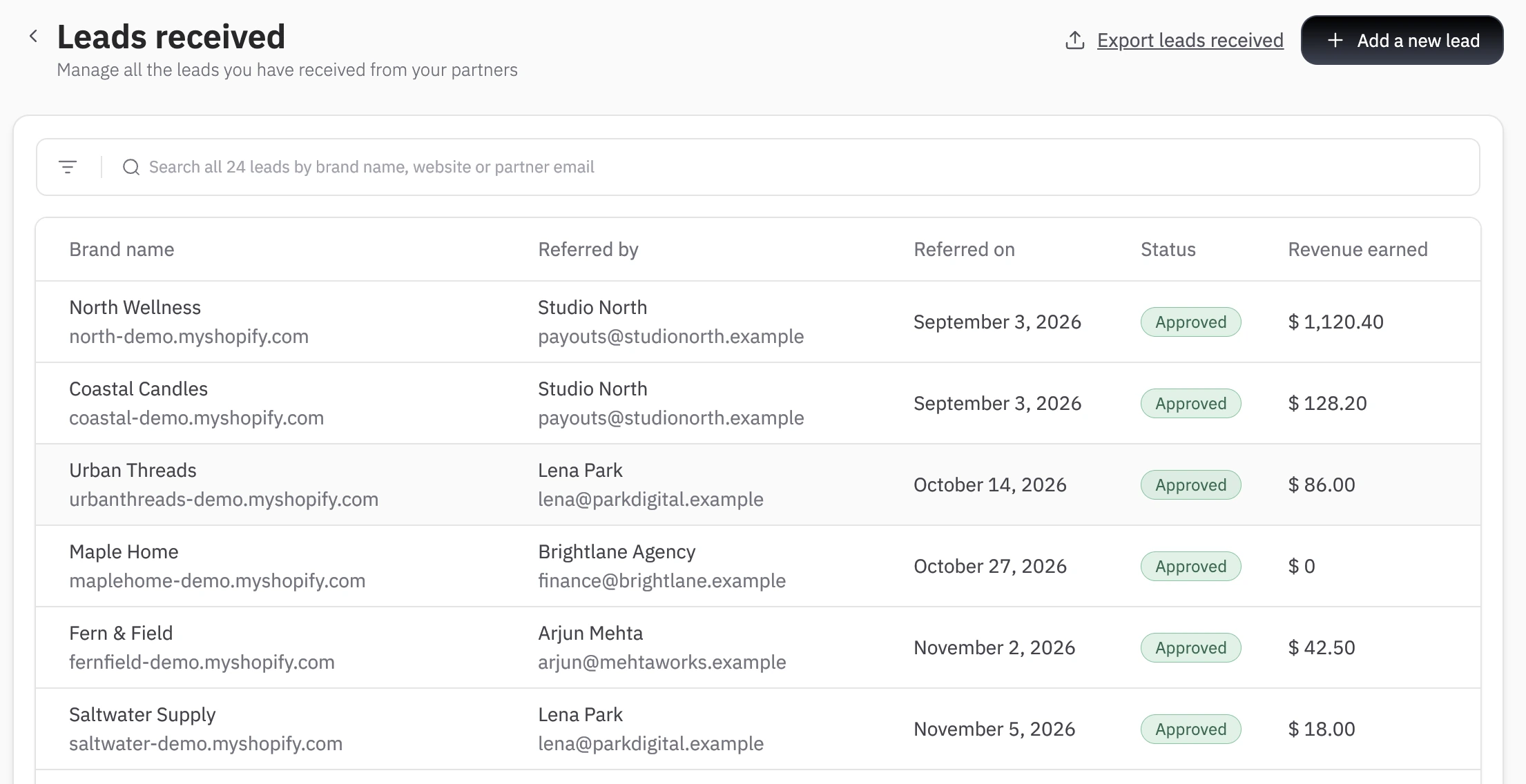
You can assign any others to a partner by hand. Partners don't have to use the link. Plenty of agencies recommend apps on a call, so a partner can also refer the lead manually from the Orbit dashboard, even for a store that has already installed your app.
Whether a lead a partner registers earns them credit depends on how you set up your referral program in Orbit. Keep checking paid charges and refunds against Shopify's Partner API, then reconcile totals against your Shopify payouts before you pay.
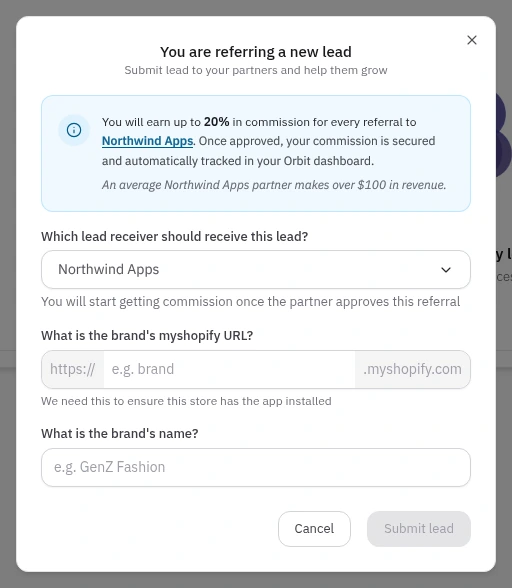
Already tracking partners in a spreadsheet? Keep paying from it for now. Give one partner an Orbit referral link and compare the two for a month. If you move over, you can import your partner list by CSV and add existing leads yourself.
Set up Orbit free and give your first partner a link →
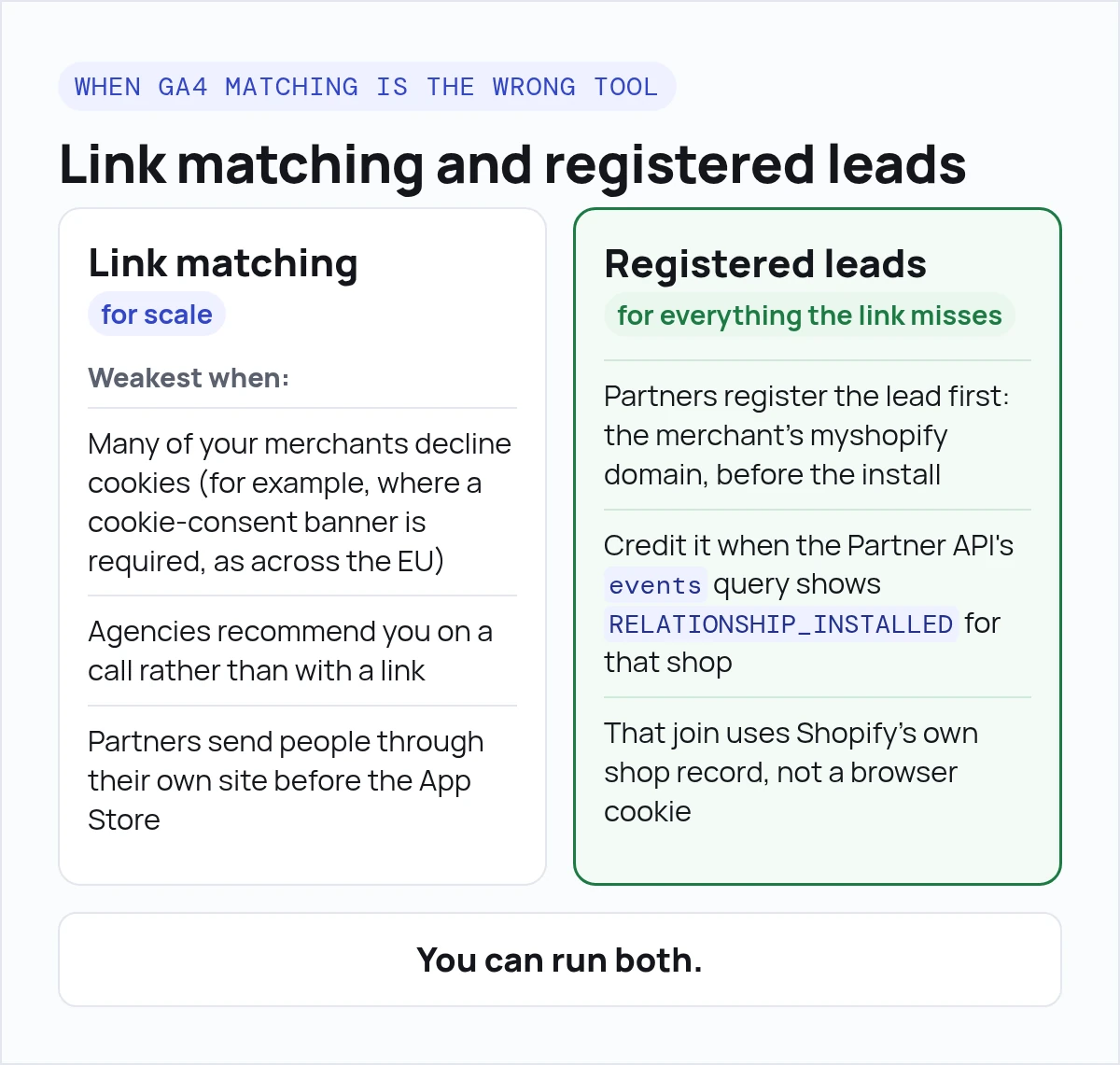
GA4 matching is weakest when many of your merchants decline cookies (for example, where a cookie-consent banner is required, as across the EU), when agencies recommend you on a call rather than with a link, or when partners send people through their own site before the App Store.
In those cases, have partners register the lead first: the merchant's myshopify domain, before the install. Then credit it when the Partner API's events query shows RELATIONSHIP_INSTALLED for that shop. That join uses Shopify's own shop record, not a browser cookie.
You can run both: link matching for scale, and registered leads for everything the link misses.
A partner program isn't always worth it. Skip it, or wait, if:
If any of these fit, fix them first. Then come back to partners.
A Shopify app partnership is a deal where an agency, freelance developer or other app recommends your Shopify app to merchants, and you reward them when those merchants pay. You set the reward, the rules and the tracking yourself.
No. Shopify's Partner Program is about work on Shopify itself, and its tiers are for service and agency partners. Shopify says app makers participate through the Shopify App Store. Any reward for referring your app comes from your own program.
Give each partner a tagged link to your App Store listing. Add your GA4 measurement ID and a Measurement Protocol API secret to the listing, so Shopify sends the shopify_app_install event. Export GA4 to BigQuery and match installs to partner tags by GA4 visitor ID. Expect some installs to stay unmatched, because consent choices, ad blockers and device switches break the link.
The shopify_app_install event is a server-side event the Shopify App Store sends to your Google Analytics 4 property when a merchant finishes installing your app. The event carries api_key, shop_id, shop_name and shop_url. You need a GA4 measurement ID and a Measurement Protocol API secret on the app listing to receive that event.
Pay on paid charges. Some installs never turn into a paid plan, and some uninstall quickly. Paying on charges that weren't refunded means you only pay for merchants who actually bring revenue.
There's no standard. A common setup is a fixed window from click to install, then a fixed period of paying on that merchant. Whatever you pick, publish it before the first referral so partners know the rules.
Shopify records a new install event for the same shop. Decide in your rules whether the original partner keeps credit. Don't confuse a reinstall with RELATIONSHIP_REACTIVATED, which means the shop's billing account came back.
Yes. Orbit is free for Shopify app teams. Partners sign in to the same Orbit dashboard, and once you connect your Google BigQuery account, Orbit credits the installs it can match to a partner's Orbit referral link, and you can assign other installs to a partner by hand.
Orbit is free for Shopify app teams. Invite your partners, connect BigQuery, and see the installs that came through their referral links.
