Agency referrals often show up as organic installs. This guide shows how to track partner-sourced revenue for Shopify apps, choose the right attribution model, set referral windows and pay partners on real revenue.

Partner-sourced revenue is recurring app revenue from a merchant that a partner, such as a Shopify agency, introduced to your app before the merchant was evaluating it. Partner-influenced revenue comes from a merchant who was already evaluating your app when a partner helped them convert. Count each deal once, as sourced or influenced, never both. To tell them apart, use the test from Reditus's glossary on partner-influenced revenue: "would this deal exist without the partner? If no, it is sourced. If yes, but it likely closes slower, smaller, or not at all, it is influenced."
The Shopify App Store often records both as search installs, because nobody clicked a tracked link. This guide shows how to track them anyway.
The worked example is a hypothetical scenario. It follows Riya, a partnerships manager at Recurpay, and two agencies: Studio North, which sourced a wellness brand, and Copper Labs, which helped close Kettlecrest Coffee. If you already read partner-sourced vs partner-influenced revenue, this is a variation on the earlier example. There, Studio North set Recurpay up on a development store. Here, the agency never installs it. That matters, because Shopify's App Pricing docs are clear that "Dev stores that you create from the Dev Dashboard or Shopify CLI cannot be transferred to a merchant or moved to a billed Shopify plan."
Key takeaways
Shopify app referral tracking misses agency revenue because agencies recommend your app on calls and in briefs, not through a tracked link. A later App Store search looks organic. To track partner-sourced revenue for Shopify apps, register the store's myshopify.com domain before the install.
Most Shopify app referral tracking was built for affiliates and tracked links. Those clicks are recorded by your tracked link or affiliate tool, not by the Shopify App Store, so you credit the affiliate from that click record even if the App Store lists the install as search. We cover that path in how to track affiliate referrals for Shopify apps. That's a familiar problem in agency partnerships for Shopify apps, and the one Riya has to solve at Recurpay.
Studio North is a Shopify agency, the kind of partner that joins the Shopify Partner Program (Shopify's program for agencies, freelancers and app developers). It is scoping a Shopify store for a first-time wellness founder. On a call, they recommend Recurpay for subscriptions and write it into the project brief, but they don't install the app themselves. A few weeks later, the founder or the merchant's own developer, not Studio North, searches the App Store and installs Recurpay.
If you look at how to track Shopify app installs by source, the install looks like App Store search, with no partner attached. In Shopify's listing-traffic data, it arrives as surface_type=search. Three months later, Studio North asks Riya for its rev share. The agency often still has collaborator access on the store it is building, or sees the app once the store is live, so it knows Recurpay was installed, but no lead was registered.
Use the store's myshopify.com domain (for example, wellness-brand.myshopify.com), not the brand name or a custom domain. Adding a custom domain doesn't change it. It isn't permanent, though. Shopify's domain help page says: "You can also change your myshopify.com domain name, but you can do this only 1 time." So at install, also record the shop ID. The shopify_app_install event in Shopify's listing-traffic tracking carries shop_id with the shop name and URL. Match a lead on either the domain or the shop ID.
On a development store, app charges don't collect real revenue. On a live store, many merchants sit on a free plan or a trial and never approve a paid charge. In ICONIQ's 2026 State of Go-to-Market data from 150+ B2B software GTM leaders, free-trial and proof-of-concept paths converted at roughly 50% in 2026, up from about 36% in 2025. That's a useful benchmark, not a Shopify-app figure.
Define rev share as X% of paid app charges, on the gross the merchant paid or the net you receive after Shopify's revenue share and fees, and use the same rule every month. Shopify says: "You keep 100% of your first $1,000,000 USD in lifetime gross app revenue, and 85% of earnings above that," and "All billing is subject to a 2.9% processing fee." On a free plan or trial, commission is $0. When they approve a paid plan, it is that percentage of the charge in your Shopify charge history.
Some affiliate and partner tools are built around Stripe, Paddle or storefront orders. Shopify App Store subscriptions are billed through Shopify App Pricing or the Shopify Billing API (Shopify's API for charging merchants for app subscriptions and usage), not Stripe or Paddle, so a tool can miss the paid app charges you need for commission. That's an App Store rule, not a preference. Requirement 1.2.1 says: "Apps that use off-platform billing cannot be distributed through the Shopify App store." That's why Riya's team ends up matching billing exports to a referral sheet the night before payouts.

Partner attribution is the set of rules that decides which partner gets credit for a merchant who pays, and how much.
Sourced revenue alone doesn't tell the whole story. As Kathy Contreras, VP and principal analyst at Forrester, puts it: "Legacy attribution models — especially those focused solely on sourced revenue — fail to capture the full spectrum of partner impact on the business." That's why this guide tracks influenced revenue and assists next to sourced revenue.
Set partner referral attribution before a dispute happens, and apply the same rule to every partner. A practical default is first-touch plus assist: the partner who started the conversation gets sourcing credit, and partners who helped close get a smaller assist.
In PartnerStack and Wynter's State of Partnerships in GTM 2026, a survey of 100 senior leaders at B2B SaaS companies with $50M+ revenue, 42% used multi-touch attribution for partner revenue, 31% used first-touch and 19% used last-touch. Those companies are much bigger than most Shopify apps, so treat the split as directional.
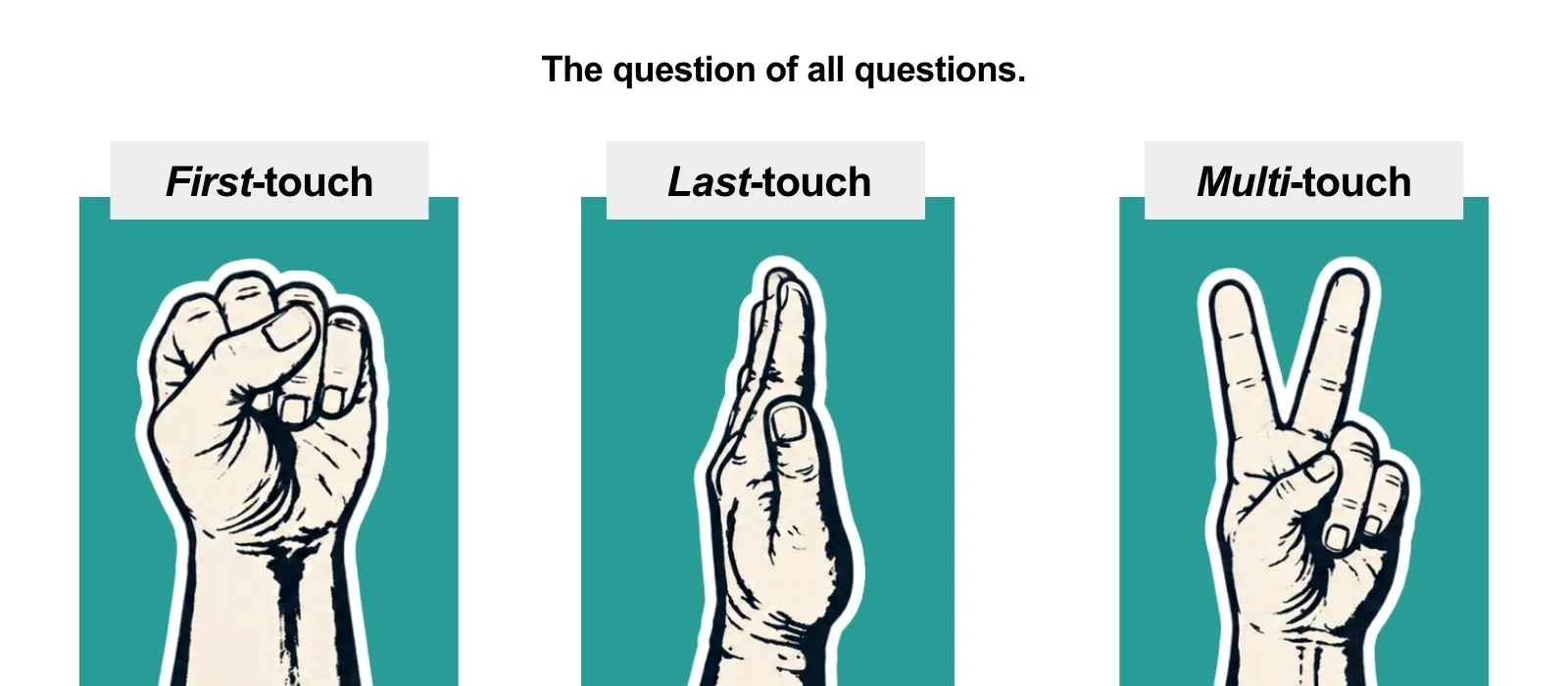
These three models answer one question: who gets credit when more than one partner touched the same merchant before the first paid charge. Here's how each one works, and where it fits a Shopify app partner program.
First-touch attribution
Gives all of the sourcing credit to the partner who first introduced the merchant.
Last-touch attribution
Gives all of the credit to the last partner who engaged the merchant before the first paid charge.
Multi-touch attribution
Splits credit across every partner who played a role, as a linear, time-decay or position-based split.
A merchant moves to a paid plan in May after three touches: Agency A scopes the build in March, an affiliate comparison post sends them back in April, and Agency B helps with trial setup in May.
Agency A gets sourcing credit. The affiliate and Agency B get a smaller assist if their touches were logged and fell inside the referral window. The deal counts once as partner-sourced. If two partners later claim the same merchant, the first registered claim with evidence wins sourcing credit; the other can still get an assist.
A referral window is how long a partner's introduction or click stays valid for credit if the merchant later pays. It is not the payout period, which is how long you keep paying rev share after the merchant is on a paid plan.
In the earlier guide on sourced versus influenced revenue, a registered lead stays valid for 12 months, and sourced deals earn rev share for the first 12 months of the paid plan. Tell partners both clocks up front, and write them into your agency partner program for Shopify apps.
Use a shorter window for tracked affiliate clicks, and a longer window for agencies and lead providers, because those referrals often start before there is a link to click.
For comparison, here's what three Shopify-ecosystem apps publish in their partner terms:
So a 12-month agency window is a deliberate choice. It's longer than the 90 days Recharge and Klaviyo use, and in line with Yotpo. It suits agencies that recommend an app while a store is still being scoped. Either way, publish it.
The payout period runs on its own clock. In the earlier guide, sourced deals earn rev share for the first 12 months of the paid plan.
Report three numbers every month: partner-sourced revenue share, influenced revenue, and partner-sourced pipeline. Count paid charges, not installs, and never add sourced and influenced together. Keep MRR distinct from ARR (MRR × 12).
This is the share of new MRR from merchants a partner introduced.
Partner-sourced revenue share = partner-sourced new MRR ÷ total new MRR
Example (illustrative): partners introduced merchants who now pay $2,400 of this month's $8,000 in new MRR. The sourced share is 30%.
This is new MRR from assisted deals with no sourcing partner. In the worked example, Raghav at Kettlecrest Coffee was already evaluating Recurpay, and Copper Labs helped him convert. It shows which partners help you win deals, not just find them.
Influenced revenue = new MRR from assisted deals with no sourcing partner
If a deal has both a sourcing partner and an assist, count it as sourced only; the helper still gets the smaller payout.
This is the revenue you expect from partner opportunities that haven't paid yet: registered leads, and partner-referred merchants still on a trial or a free plan. Once a lead pays, it moves into sourced revenue.
Partner-sourced pipeline value = open partner-sourced leads × expected monthly plan price × 12
Weighted partner-sourced pipeline = partner-sourced pipeline value × lead-to-paid rate
Example (illustrative): Riya has 40 open partner-sourced leads on a $39-a-month plan. 40 × $39 × 12 = $18,720 in unweighted annual pipeline value. At a 25% lead-to-paid rate, the weighted pipeline is $18,720 × 0.25 = $4,680 in expected ARR. Use pipeline value for size, and weighted pipeline for planning.
To track partner-sourced revenue each month, register each lead on the store's myshopify.com domain before install, match the install to the lead, credit the first paid charge, calculate commission on paid charges for the payout period, then pay partners with a statement. In our experience, spreadsheets start to slip at around 10 active partners.
Matching takes hours, statements go out late, and partners argue about credit. In HubSpot's 2026 Guide to Partner Management & Enablement, co-produced with Crossbeam, PartnerStack and Partnership Mastermind, 83% of partner teams still run partner revenue on spreadsheets, and attribution confidence averages just 3.1 out of 5.
Once a spreadsheet stops keeping up, a dedicated partner tool can take over the matching and payouts. Orbit by Marmeto is one example: partner management software for Shopify app developers. It keeps named leads, subscription commissions and payouts together, so agency-sourced installs don't end up looking organic. If agencies are your main channel, see how it handles agency ecosystems for Shopify apps.
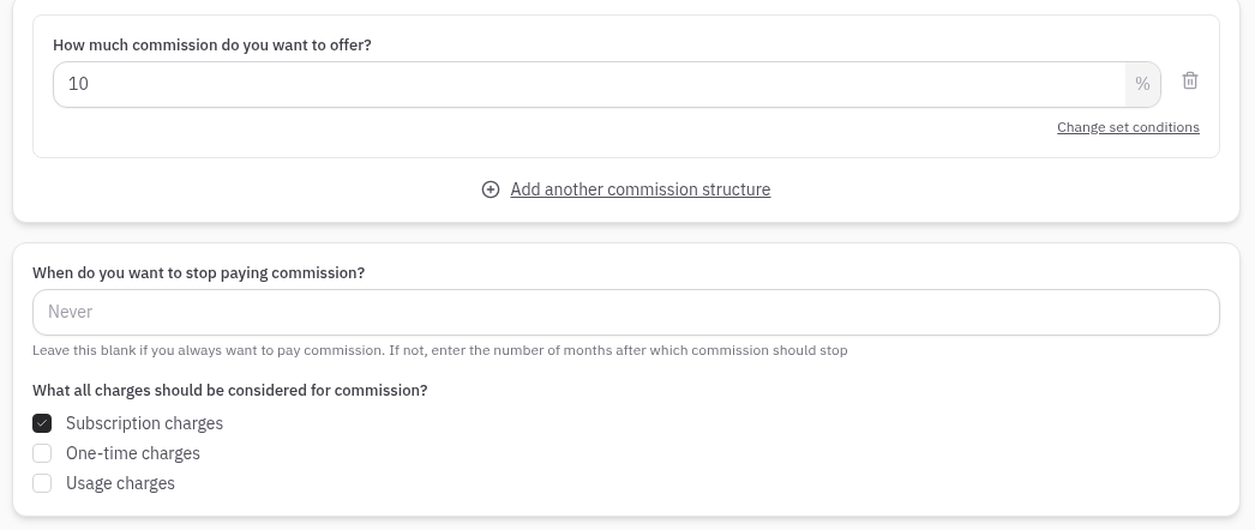
If you're moving off another tool or a spreadsheet, you can import your partner list by CSV and add existing leads yourself.
To track partner-sourced revenue for Shopify apps, register leads on the myshopify.com domain before the install, credit the first paid charge, keep the referral window separate from the payout period, and never add sourced and influenced revenue together. If spreadsheets stop scaling, a partner tool like Orbit can hold leads, commissions and payouts in one place.
A referral window is how long a partner's introduction or click stays valid so they can still get credit when the merchant later approves a paid charge, and a payout period is how long you keep paying rev share on that merchant's app charges. The payout period is separate: it starts once the merchant is on a paid plan, and the two clocks should not be mixed.
Partner-sourced revenue is from merchants a partner introduced, and partner-influenced revenue is from merchants who were already looking at your app when a partner helped them convert. If a deal has both a sourcing partner and an assist, count the revenue as sourced only. Don't add the two numbers together.
If two agencies claim the same store, the first registered claim with evidence wins sourcing credit. The other partner can still get an assist if they genuinely helped close. Register the myshopify.com domain before the install so the first claim is on record.
A Stripe or Paddle tool can't calculate your App Store commissions because Shopify App Store apps must bill through Shopify App Pricing or the Shopify Billing API, not off-platform billing such as Stripe or Paddle. A tool can track that a partner sent a merchant and still not see the paid app charges you need for commission.
Ask agencies to send you the store's myshopify.com domain when they recommend your app, and write that into the partner agreement. You can add that lead yourself if they email it to you. What matters is that the domain is in your records before the install.
An affiliate usually earns credit from a tracked link click, so the referral shows up in your affiliate tool. A partner such as a Shopify agency often recommends your app on a call or in a project brief, with no link to click. That's why agency credit comes from a lead registered on the store's myshopify.com domain, not from a click.
In our experience, spreadsheets start to slip at around 10 active partners: matching takes hours, statements go out late, and partners argue about credit. You're not alone if you're still on one. In HubSpot's 2026 Guide to Partner Management & Enablement, 83% of partner teams still run partner revenue on spreadsheets.
Merchants can rename their myshopify.com domain once, per Shopify's domain help page, so a registered lead might not match at install. Record the shop ID at install as well, and match the lead on either the domain or the shop ID.
Yes. An agency often recommends your app on a call or in a project brief, and the merchant later finds it through App Store search, so the install looks organic. If the agency registered the store's myshopify.com domain before the install, credit the revenue as partner-sourced from the first paid charge.
Pay partners on paid charges, not installs. Many Shopify app installs are development stores, free plans or trials that never approve a paid charge. Set rev share as a fixed percentage of paid app charges, gross or net of Shopify's revenue share, and apply the same rule every month.
Partner-sourced revenue share equals partner-sourced new MRR divided by total new MRR for the month. For example, if merchants introduced by partners add $2,400 of a month's $8,000 in new MRR, the partner-sourced share is 30%. Count paid charges only, and report influenced revenue separately.
See which partners bring revenue and what they've earned.
